Despite the rising use of biometrics, passkeys, and identity-based threat detection tools, one thing remains clear: passwords continue to be the frontline defence for digital access and often, the weakest link. Tomorrow is World Password Day, and cybersecurity experts are warning that while passwords are here for now, how we manage them needs to change urgently.

The Password Predicament: Convenience vs Security
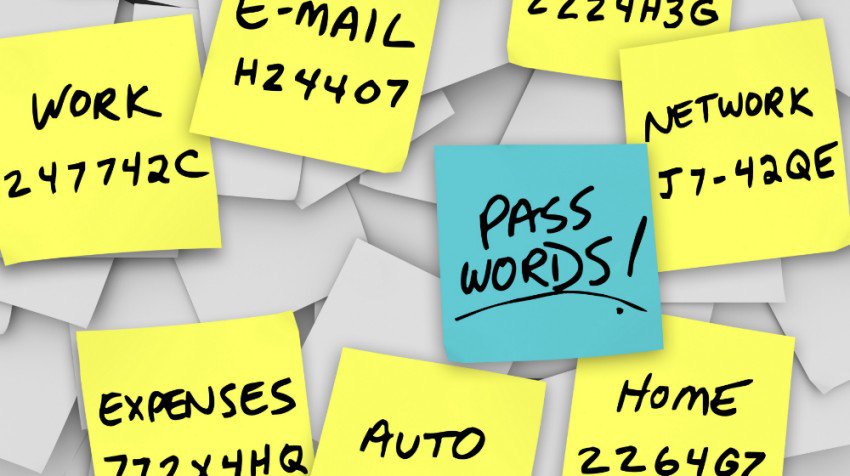
“On World Password Day, it’s a good time to ask how your teams are really managing their passwords,” says Dray Agha, senior manager of security operations at Huntress. “Believe it or not, we still see people saving passwords in plain text files on their desktops, often with filenames like ‘My Passwords.’ It might sound laughable, but it’s surprisingly common…”
Agha points out that even supposedly innovative solutions, like emoji passwords, don’t solve the core problem. Instead, the best first steps remain tried and tested: password managers, MFA, and continuous security awareness training. Yet even those aren’t bulletproof. “Hackers are using infostealers to grab credentials, session cookies, and access tokens in seconds. Businesses need an identity threat detection and response (ITDR) solution that shuts down identity-based threats like account takeover, Adversary-in-the-Middle (AitM) attacks, and business email compromise (BEC),” said Agha.
Passwords Aren’t Enough – But They’re Still Essential
“Passwords are no longer enough to keep us safe online,” says Chris Burton, Head of Professional Services at Pentest People. “Where possible, we should be using passkeys; they’re far more secure, even if adoption is still patchy. If a site doesn’t support passkeys yet, at the very least, use a password manager and multi-factor authentication (MFA). With a password manager, you only need to remember one password; everything else is randomly generated, 36 characters long, and securely stored. It’s a much simpler and far more secure way to manage your passwords.
“Most Apple devices have a password manager built in, and there are plenty of good options for Windows and Android users, too. Organisations also need to rethink outdated password policies; restricting password length or complexity makes it easier for attackers to crack them, not harder. With AI tools able to build detailed profiles of people, we can no longer rely on human memory or guesswork. Password managers do raise the question: are we swapping 50 weak passwords for one? Potentially, but with a strong master password and multi-factor authentication (MFA), the risks can be properly managed. In cybersecurity, humans are always the weakest link. Technology can and should do more of the heavy lifting.”
Identity-Centric Security Is Rising
“Using passwords to authenticate users will continue to be the main way to authenticate for the foreseeable future,” says Thomas Richards, Infrastructure Security Practice Director at Black Duck. But as threat actors adapt, security controls must too. “Password manager developers should perform targeted penetration tests. Users should also enable MFA wherever possible to add an additional layer of security.”
Kelvin Lim, Senior Director, Head of Security Engineering at Black Duck, believes passkeys are the future. “Phishing-resistant authentication will become the standard,” he notes, pointing to increasing support from Apple, Google, and Microsoft. “Passwords are not going away soon, but we expect to see greater passkey adoption as we progress towards a passwordless future.”
Still, adoption varies across industries. Boris Cipot, senior security engineer at Black Duck, reminds us that simplicity is a double-edged sword. “Passwords remain the most widely used solution, but unfortunately, there have not been any significant changes with passwords in the last year.” Though awareness of password managers is rising, many organisations still fail to enforce MFA, even when it’s available.
Better Habits Start with Awareness
“World Password Day serves as a timely reminder that, while they’re just the starting point, strong password practices remain critical,” says Javvad Malik, Lead Security Awareness Advocate at KnowBe4. He warns that reused or weak passwords give attackers a simple way into systems, leading to data theft, lateral movement, and long-term damage.
Malik’s colleague Martin Kraemer shares three essentials:
- Encourage passphrases or long, random passwords.
- Use password managers.
- Enable MFA wherever possible.
It’s a formula echoed by experts across the board: smarter habits, layered defences, and proactive education are key.
The Hidden Risk of Sharing
“In an era where data breaches are more frequent and sophisticated than ever, password sharing remains one of the most underestimated threats to cybersecurity,” says Darren Guccione, CEO and Co-Founder at Keeper Security. “Without strict controls and visibility, businesses may never even know who accessed sensitive systems, or when.”
Password managers offer a solution, not just for stronger passwords, but for secure sharing, time-limited access, and clear audit trails. Combined with ongoing training and awareness campaigns, they’re a crucial part of any modern security strategy.
Think Before You Share – And Rethink Password Hygiene
“Passwords are like toothbrushes – you use them every day, and you shouldn’t share them,” says Catarina Santos, Data Protection Expert at Data Protection People. “Even someone you trust might reuse passwords, fall for phishing scams, or have malware on their device.” Her advice? Treat passwords like keys to your digital life; keep them private, strong, and backed by MFA.
Tim Ward, CEO and Co-Founder at ThinkCyber Security, shares his tips for safe passwords:
- Make passwords long: Aim for at least 12–16 characters; longer passwords are significantly harder to crack.
- Use unique passwords for every account: Never reuse passwords across important accounts. If one account is compromised, others remain safe.
- Create random or unpredictable passwords: Avoid dictionary words, names, dates, or common patterns like “123456” or “qwerty”.
- Build passphrases: Combine three or more unrelated words or use a memorable phrase that is not easily guessed. For example: “BlueDogsWalkBackwards” or “HorsePurpleHatRunBay”.
- Mix character types: Use a combination of uppercase and lowercase letters, numbers, and symbols. However, don’t rely solely on predictable substitutions (like “p@ssw0rd”).
- Avoid personal information: Don’t use birthdays, family names, pet names, or any details that could be found on social media or public records.
- Use a password manager: Password managers can generate, store, and autofill strong, unique passwords for each account, reducing the risk of password fatigue and reuse.
- Don’t write passwords down in insecure places: If you must record them, keep the list locked away securely, or better yet, use a password manager.
- Update compromised passwords: Change your password immediately if you suspect it has been exposed or breached.
Ward adds, “Providing real-time reminders when users engage in risky behaviours, such as reusing weak passwords, ignoring password manager prompts, or entering credentials on suspicious sites, helps embed strong password hygiene into daily routines, which is critical when trying to change behaviors for the better.”
This World Password Day, the message from security leaders is clear: passwords may still be with us, but how we manage them has to evolve. From the dangers of shared logins to the promise of passkeys, from awareness training to ITDR, the next frontier in digital security isn’t just about better passwords; it’s about smarter, layered, and user-friendly protection.